2015-01-27

My new/old MacBook Air

While traveling home for Christmas, I suddenly got a spur-of-the-moment idea to buy a MacBook Air. I had thought about getting one for quite awhile, so long so that all of my friends jumped on the band-wagon before I could find one in my budget. Well, suddenly my budget was looking pretty flexible as a searched through multiple eBay listings.

I had found many different listings that looked promising, only to have a feature that wasn't what I wanted - an 11" screen instead of a 13" screen, or a 64GB SSD instead of a 128GB SSD. But I did not give up hope! I kept looking through listings until I came across one that met all my requirements, and it was within my budget. The only catch: it was a 2011-model that had some cosmetic wear and minor damage.

After bidding on it and eventually winning the auction, I received the MacBook Air in the mail. It had no accessories, not even a sleeve or original box - it simply came in bubble wrap and a cardboard shipping box. Appropriately for the season, I quickly dispensed of the wrappings like a kid during Christmas. Synchronously, I also opened the Amazon box that contained my replacement charger, and connected it to the half-charged Air. I was up but not yet running.

After downloading and installing a clean copy of OS X Yosemite, installing updates and software, and logging into iCloud, I was not only running, but running faster than I thought possible on a computer that is now three-and-a-half-years-old. This little bugger is fast! It has completely replaced my desktop and my other laptops as most-frequently-used-computer. Mac OS X Yosemite has something to do with this as it is a clean and simple interface that I found readily enjoyable for someone who has long beed a Windows (and sometimes Ubuntu) OS guy.

Speaking of Windows, Boot Camp made it a breeze to install Windows 7 64-bit, and VMware Fusion make it easy to run Windows software when I can't find a Mac alternative. All-in-all, it was a well-spent $450 to upgrade to something older than most of the other computers in my house.


Specs:

  • Intel Core i5 1.7GHz CPU
  • 13" 1440x900 matte display
  • 4GBs of DDR3
  • 128GB SSD
  • Decent battery... approximately 6-8 hours at minimal usage and dimmed display

2014-08-30

Verizon Share Everything Plan

Earlier this year, my family moved away from AT&T's Family Plan, in which all of the minutes and texts were shared but each line had its own data, to Verizon's Share Everything plan, in which a plan has unlimited shared minutes and texts, but shares a pool of data among all lines. (Part of the reason we had to switch carriers rather than just plans from AT&T is because my family moved to northern Maine in 2010, where AT&T has no service coverage.) The Verizon plan seemed like it would help my family of four by allowing those of us who use more data to "even out" those who use less data. Then we ran into problems...


The first problem I noticed was that the cost per gigabyte on the low-data-volume plans was high enough that it almost wasn't worth buying. My mother would look at how much the total plan costs, eyeing the only area that could be cut: data. We would think that "we will only use four gigabytes this month. Everyone stay in your limit," but that would quickly lead to problems when one of us went flying over how much data one was "supposed" to use. This meant that we were constantly upgrading our plan to cover the data usage before we incurred the $15/GB overage fee.

The second problem I noticed was when we tried to add my sister's (now ex-) boyfriend, he was even worse than the rest of us at staying within the self-imposed, arbitrary data limits. I recognized that, to effectively bill each person for the amount of data one is using, I would have to set the plan's data allowance high enough to accommodate the estimated data usage, then lower it to how much was actually used at the end of the billing cycle. This lead to an almost cat-and-mouse situation, constantly trying to adjust how much we needed.

Third, data usage being used without regard to monthly volume lead to problems with trying to bill the person who used the data, because as the plan needed more data, the cost per gigabyte would be lowered. Was this cost saving to be passed on to everyone, or just the person who was using enough to justify needing more data?

Fourth, Verizon's introduction of the Edge plan: Edge allows a user to buy a phone separately from their line contract on a monthly plan with or without a down-payment (one can pay up to 60% of the value of the phone to reduce the monthly cost) or to buy the phone outright. This can benefit the user because Verizon will reduce your line access cost. The line access discount is either $10 if your plan has less than 10 GBs, reducing the access fee to $30 per month, or $25 if your plan has 10 GBs or more, reducing the access fee to $15 per month. Those discount rates also apply if you use a device you already own. The Edge program can save you a bundle of money if you have 10GB+ data on your plan.

Fifth, my recommendation: I created a cost spreadsheet that calculates how much data costs, how much data up to ten users would need, and the total line access per user based on their data, the data rate of the plan, and if that user is on a standard 2-year contract or Edge.
(Here is the permalink to view/share the spreadsheet: http://h.yper.link/VerizonCostTable)
Use the spreadsheet to calculate how much you could save by changing the contract types for each line and how much data each line is using. Keep in mind that any costs for phones on Edge are not included in the line total cost or the plan total cost.

Lastly, I am currently experimenting with adding more people (who I trust, of course) to the plan so that we all benefit from high-volume data rates. Eventually, I will follow up to this post with the results of this experiment. If you have any questions, please comment below!

2012-11-28

CPU 100% while idling

Lately I have had a weird problem... My primary computer system will be fast and responsive, like it should be, but randomly it would suddenly slow to a crawl. After opening the Task Manager, I found that my CPU usage was at 100%. That should not be possibly with my system so I knew something was wrong. I was pretty sure it wan't anything system- or driver-related, so I started investigating. In the Task Manager, the Processes tab showed no process that had any CPU usage - as if another process was using 100% of all the CPU resources. Even when I clicked "Show processes from all users," nothing was appearing. After a lot of frustration, I just let it sit there... lo and behold, a process showed up that was using 99% of the CPU! It was called "CaptureLibService.exe" and it was loaded by the SYSTEM.


I researched the process and found that it is installed with the software Freemake Video Downloader. The service is installed and used by Freemake to scan network traffic for embedded videos. This is a very fast method to download those pesky embedded videos, but when the service acts up and consumes all the resources, it isn't worth it.

If you would like to prevent this service from starting up automatically, but you want to keep the software, do the following:

1) Press Start + R to open run dialogue, then type msconifg

2) Click on the Services tab, then click on the Service heading to ascend alphabetically

3) Look for "FreemakeVideoCapture" and uncheck the box to the left

This will prevent it from starting automatically.

2012-05-08

CrashPlan Crashes

Recently I had a problem with CrashPlan where the Backup Engine would crash randomly. It seemed like this was just a problem with the OS (Windows 7 x64 SP1) because I had been messing with it a lot, but after a re-install, the same problems were happening. This got me thinking about the amount of data I was backing up and how much system memory was needed for that amount of data (around 1.5TBs). The current CrashPlan settings allocated 512MBs of memory, so I upped it to 1024MBs, and that did the trick. It was as easy as this:


1) Open Notepad as Administrator


2) Open this file
C:\Program Files\CrashPlan\CrashPlanService.ini


3) Edit the variable -Xmx512M
    A recommendable amount is 1024M.


4) If you can still access the CrashPlan Desktop UI, open it. Double click the logo in the top right. This will open a CrashPlan service terminal; type restart, press enter.


Your CrashPlan software should no longer crash due to memory problems. If it does, then change that value to something higher.

2010-08-10

Day 17 - 21

These last few days went flying by so fast! After we left Portland, we headed up the coast to Rockland and ended up staying there for a few days. In that time, we drove up to Bar Harbor. On the way, you have to cross the Penobscot Narrows Bridge, which was constructed recently. It has the tallest bridge observatory in the world, and is the only one in the western hemisphere.


Just a walk from the bridge is Fort Knox, which was named after the first Secretary of War, as was the famous Fort Knox in Kentucky. It is located along the Penobscot River, across from Bucksport.


After the visit, we made our way to Bar Harbor and stopped at a local Lobster shack.


2010-08-05

Day 15 - 17

Day 15, 16, and 17 were all long travel days. We really did not do much... I mean seriously, on days like these, we just sit in the RV, listening to music, mapping out our course, finding rest stops, eating, remapping the course, playing games, watching movies, finding more rest stops, etc.

On Day 15, we made it from Milwaukee, through Chicago, and over to Fort Wayne, Indiana, where we spent the night in the WalMart parking lot.

On Day 16, we drove through, believe it or not, 9 states: we started in Indiana, drove through Ohio, Pennsylvania, New Jersey, New York, Connecticut, Rhode Island, and Massachusetts, and ended in New Hampshire. During one of the pit-stops, a trucker randomly befriended us and gave us some watermelons!


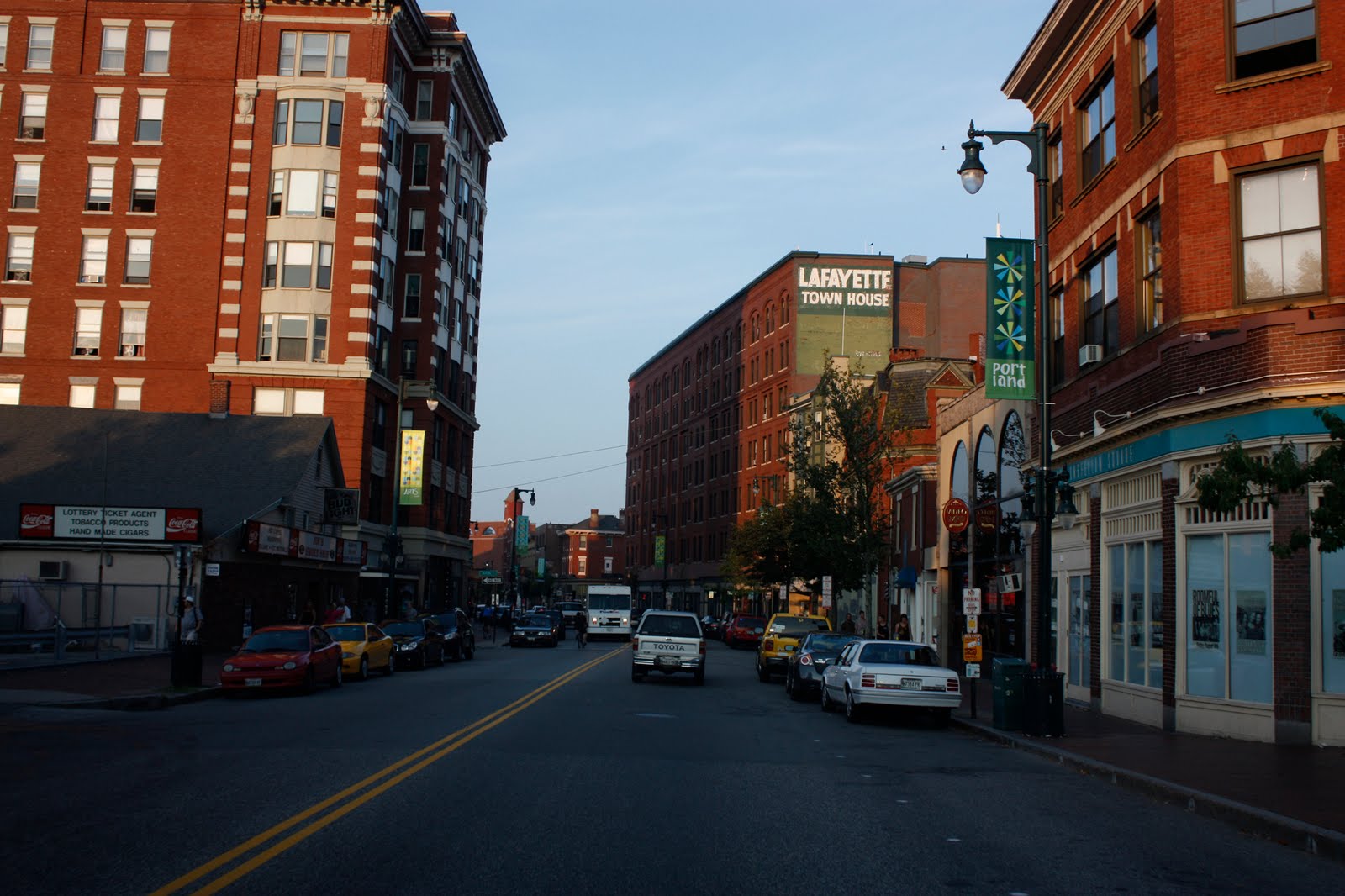
On Day 17, we drove up to Portland, Maine while I was asleep. We are now just hanging out here for the day. I got to really see the Atlantic Ocean for the first time today!

Here are some photos I took in Portland

The Atlantic Ocean
A view from our RV

Day 10 - 15

Hello everyone! I would just like to say that I am sorry that I stopped posting on here for about a week... We got up to the Jablonski's place on the night of Day 10 (Wednesday, July 28th) and stayed there until the morning of Day 15 (Monday, August 2nd), and during that time I was really tired, excited, and just plain lazy!

The following is an account of what we did in the past few days...

Amendment to Day 10:
I forgot to mention that we went to the Texas Roadhouse with Dave, Jake, and Jessica. It was a fair meal in a pleasant atmosphere and a great night of conversation and fun.
And just to make it clear, Dave and Alisa are the parents, and Jake (18), Nick (16), and Jessica (14) are their kids.
My parent's also checked into the Comfort Inn in Milwaukee. This information will be necessary for what happened in Day 11.

Day 11:
For the most part, in the mornings we would just get up, eat, play video games, and talk a lot. In this evening, Jake, Nick, Alex, and I went swimming at the hotel at which my parents were staying while our parents went hottubbing. We left for the cinemas and saw The Sorcerer's Apprentice (it was pretty good, but somewhat predictable and non-climactic - 6/10). On the way back to the hotel, Alisa called Jake and Nick and requested that they bring Gatorade for Dave when they returned home, so we detoured over to Walgreen's. On the way over, we had one of the funnest times during the entire stay. We cranked up the stereo and the car was filled with Techno and Rap music, and we were all "dancing" to the music, as much as one might while sitting strapped to a seat (honest it was more like arm-waving and wiggling). The climax of the night was when a song aired on the radio and Nick hopped out of the car (in Walgreen's parking lot) and proceeded to act out some crazy awesome moves. Epic.

When Alex and I got back, we found out that our parents had a problem with the hotel. While we were gone, a little league team from EauClaire, Wisconsin created a disturbance in the pool area. The chaperons were drinking alcohol (problem 1) in glass bottles (problem 2) and responded negatively (problem 3) to the request of the other patrons in the pool area. They then proceeded to address isolated individuals who had requested them to stop drinking (i.e. my dad) with taunts and verbal jabs (problem 4), which continued even into the next morning (problem 5). The manager was finally available for contact, and when address of the situation, completely lost his spine as if it were made of jello. He became a wimpy little person who would not enforce hotel policy (problem 6). We immediately contacted the Comfort Inn corporate office and the Better Business Bureau to let them know of the preceding events. The state liquor board, local newspaper, and little league team will also be contacted. After this event, we changed hotels, and my parents stayed in the Hampton Inn for the remainder of the visit.

Day 12:
I am pretty sure this was the day that Alex, Jake, and I went to The Quarry, a retired mining quarry that filled in with water, and one can now swim in it. It was fun. We got some sun and swimming, which totally made my day.

Day 13:
Saturday, Alisa took us on a drive-through tour of the city of Milwaukee.

Day 14:
It was today that we went to the Wisconsin Dells, a couple hours north of the Jablonski's abode. Sadly, Jake's work conflicted with these plans, so he was unable to enjoy it was us. At the Dells, there are a bunch of theme parks, one of which, Mount Olympus, we went to. It was sooo fun! There were four wooden roller coasters, one of which, Hades, had a tunnel that goes completely beneath and across the parking lot, then comes out the other side for a short while, and back under the parking lot! There were also many go-kart tracks (not bumper cars... lets just say I learned that the hard way) which were pretty fun. But the Water Park is where you find me. There are two wave pools: a normal, continuous undulation pool, and the Poseidon; every couple minutes, this pool creates a 9-foot wave. It is absolutely sick! Nick and I were in this pool probably half of our stay just body surfing. We could transverse approximately half (probably a little more) of the accessible pool on a single wave! When we were all finally too tired to do anything more, we headed out. All of us fell asleep in their Excursion on the way home. The hot tub at the new hotel was a very relaxing end to the day.

Day 15:
Monday morning, we left :(
We had an amazing time with the Jablonski's. It was really amazing that even after 12 years of not seeing or contacting each other, our friendships from 6 years old proved valid :D I cannot wait to see you guys again, and thanks for hosting us!